Top Software for Post-Production Filmmaking in 2026


By Muhammad Wisal and Muhammad Ali / 7 min read
The core post-production software in 2026 is still a small, stable set: DaVinci Resolve, Adobe Premiere Pro, Avid Media Composer or Final Cut Pro for editing; Resolve for color; Pro Tools or Fairlight for sound; After Effects, Nuke or Fusion for VFX and motion; and Frame.io for review. Which one you pick depends less on features than on your budget, your computer, and who you will hand files to. This guide covers what each tool is for, who it suits, and what it costs where that is widely known.
What software do you need for post-production?
Most films need four kinds of software after the shoot: an editor (NLE), a color tool, an audio tool, and a way to share cuts for review. VFX and motion graphics software comes in only if the film needs it. On small projects one program can cover several of these jobs; on larger ones each department uses its own specialist tool and passes files along.
- Editing: assembling footage into the story, from rough cut to picture lock.
- Color: correcting shots to match, then grading for the look.
- Sound: dialogue editing, sound effects, Foley, music, and the final mix.
- VFX and motion: compositing, cleanup, titles, and graphics.
- Review: sending cuts to the director, producers, or clients and collecting time-coded notes.
Which video editing software is best for filmmakers?
For most independent filmmakers, DaVinci Resolve or Premiere Pro is the practical choice; Avid Media Composer is the long-running standard on features and TV; Final Cut Pro is the fast option for Mac users.
DaVinci Resolve
Blackmagic Design's Resolve combines editing, color, Fusion (VFX) and Fairlight (audio) in one application. There is a free version that is capable enough for many feature films, and a paid Studio version (a one-time purchase) that adds features such as higher resolutions, more noise reduction and some AI tools. It suits low-budget filmmakers and anyone who wants to do their own grade. It runs on Windows, macOS and Linux, and it rewards a reasonably strong graphics card.
Adobe Premiere Pro
Premiere Pro is a subscription editor that works closely with After Effects, Audition and Photoshop. It is common in documentary, commercials, online content and many indie features, so freelance editors are easy to find. It suits teams already paying for Adobe Creative Cloud and projects with a lot of graphics work.
Avid Media Composer
Media Composer is a subscription editor built around careful media management, shared storage and multiple editors on one project. Many studio features and TV series still cut on it, and assistant editor workflows are built around it. It has a steeper learning curve and makes the most sense if you want to work in that part of the industry or your post house expects it.
Final Cut Pro
Final Cut Pro is Apple's editor for macOS, sold as a one-time purchase. Its magnetic timeline makes cutting fast, and it runs very well on Apple Silicon Macs. It suits solo filmmakers and small teams on Macs. It is less common in large collaborative post pipelines, so check what your colorist or sound mixer can accept before you commit.
Post-production software at a glance
| Tool | Main job | Pricing model | Best for |
|---|---|---|---|
| DaVinci Resolve | Edit, color, VFX, audio | Free version; paid Studio (one-time) | Indie filmmakers, color work |
| Premiere Pro | Edit | Subscription | Adobe users, docs, commercials |
| Avid Media Composer | Edit | Subscription | Features, TV, multi-editor teams |
| Final Cut Pro | Edit | One-time purchase (Mac only) | Solo Mac editors |
| Pro Tools | Sound edit and mix | Subscription tiers | Professional sound post |
| Fairlight (in Resolve) | Sound edit and mix | Included with Resolve | Editors mixing their own film |
| After Effects | Motion graphics, compositing | Subscription | Titles, graphics, smaller VFX |
| Nuke | Node-based compositing | Paid licenses | High-end VFX shots |
| Fusion | Node-based compositing | Inside Resolve (free and Studio) | Resolve users learning nodes |
| Frame.io | Review and approval | Free tier; paid plans | Sharing cuts and collecting notes |
What is the best software for color grading?
DaVinci Resolve is the most widely used grading tool, from student films to studio features, and its free version includes the full color page. Premiere Pro's Lumetri panel and Final Cut Pro's color tools handle basic correction well enough for many projects. If you plan to hire a colorist, ask which software they use; most will want an XML, AAF or EDL plus your original camera media, and most will be working in Resolve.
Which software do sound editors and mixers use?
Pro Tools is the standard in professional sound post-production, so if you send your film to a sound house, expect them to work in it. You will usually export an AAF or OMF of your timeline with handles, plus a reference video. Fairlight, built into Resolve, is a strong option if you are editing and mixing the film yourself, since you never leave the project. Adobe Audition is common for quick dialogue cleanup alongside Premiere, and iZotope RX is widely used for noise reduction and dialogue repair whatever your main tool is.
What software is used for VFX and motion graphics?
After Effects is the usual tool for titles, motion graphics, screen replacements and smaller compositing jobs; it is layer-based and easy to start with. Nuke, from Foundry, is the node-based compositor used on most high-end VFX shots. Fusion offers node-based compositing inside Resolve at no extra cost, which makes it a good place to learn. For 3D, Blender is free and widely used by independent artists, while Maya remains common in large studios.
How do teams share cuts and collect feedback?
Frame.io is the most common review tool: you upload a cut, reviewers watch it in a browser, and they leave notes pinned to exact frames. It is owned by Adobe and connects directly to Premiere Pro and After Effects, with integrations for Resolve and Final Cut Pro too. There is a free tier for small projects. For very small teams, a private video link and a shared document of time-coded notes can work, but notes get lost faster.
What about AI editing tools?
Most AI editing features now live inside the main editors rather than in separate apps. Examples include automatic transcription and text-based editing, scene cut detection, audio cleanup and object masking in Resolve and Premiere Pro. These save time on repetitive jobs like syncing, transcribing interviews and rough cleanup. They do not decide pacing or performance for you, so treat them as assistant tools inside the editor you already use. For a wider look, see how AI is changing post-production.
Where does planning software fit before post?
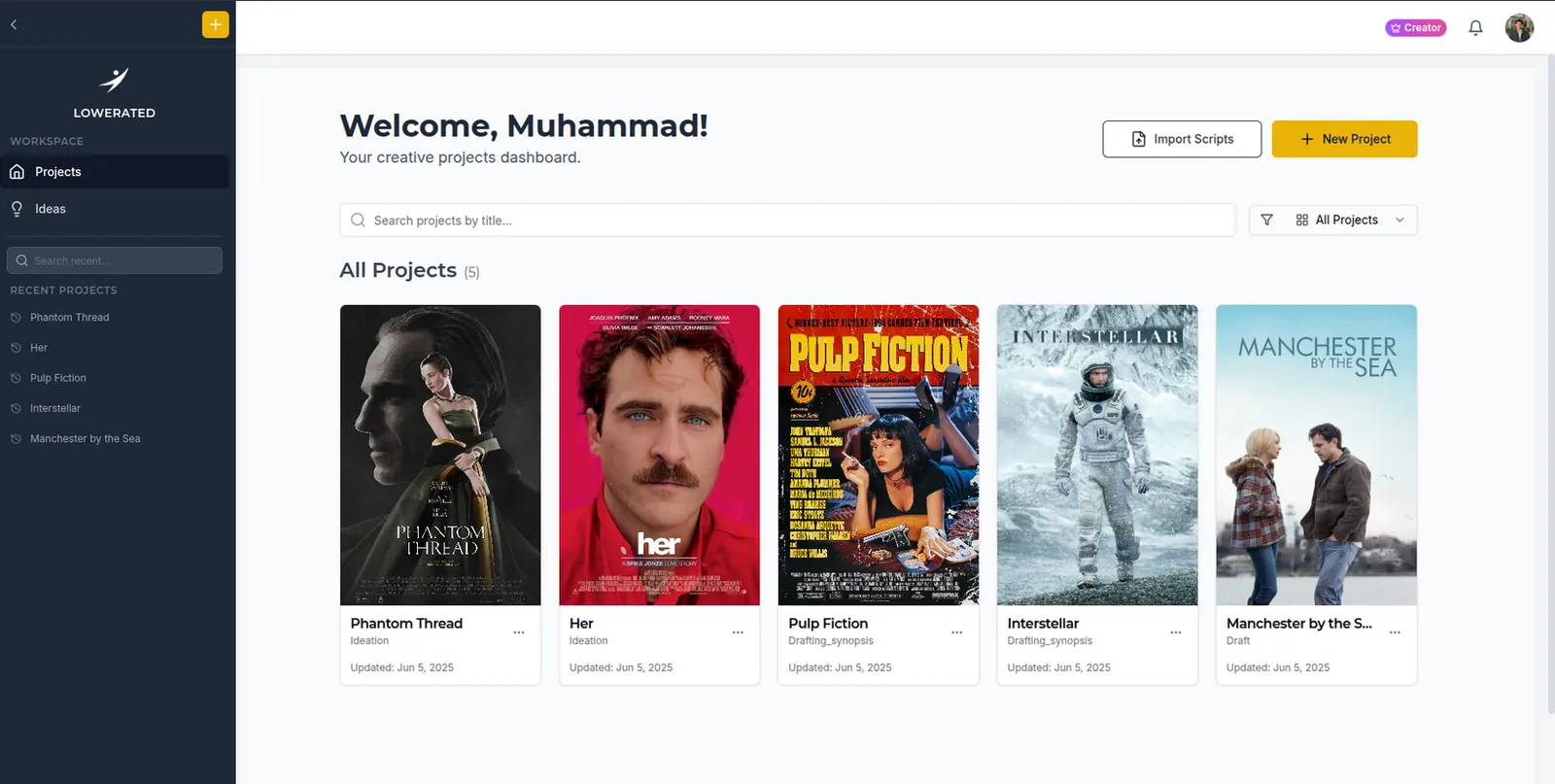
Post goes faster when the shoot was well organized: clear scene numbers, a reliable shot list, and notes on what was actually captured. That planning happens before the shoot. Lowerated covers that side, the screenplay, breakdown, schedule, shot lists and call sheets, and it does not edit video, grade, or mix sound. Many filmmakers write and plan in Lowerated, then cut in Resolve or Premiere. You can read more in everything you need to know about post-production and see the planning tools on the pre-production page.
How do you choose post-production software on a budget?
- Start with Resolve's free version if money is tight. It covers editing, color, audio and basic VFX in one place.
- Match your collaborators. If your sound mixer uses Pro Tools and your colorist uses Resolve, make sure your editor can export clean AAF and XML files.
- Check your hardware. Final Cut Pro needs a Mac; Resolve wants a decent GPU; heavy VFX work needs more RAM.
- Add specialist tools only when the film needs them. Many shorts never need Nuke or Pro Tools.
FAQ
Is DaVinci Resolve really free?
Yes. The free version of Resolve includes editing, color, Fusion and Fairlight. The paid Studio version adds extra features and higher resolution support, but many independent films are finished entirely on the free version.
What editing software do Hollywood films use?
Avid Media Composer is still common on studio features and TV series, with Premiere Pro and Resolve also used. Color is usually done in Resolve or Baselight, and sound in Pro Tools.
Can one program handle all of post-production?
DaVinci Resolve comes closest, with editing, color, VFX and audio in one application. Larger projects still tend to split work across specialists.
Does Lowerated edit video?
No. Lowerated covers writing and pre-production planning before the shoot. For editing, color, sound and VFX, use the tools in this guide.
Key takeaways
- DaVinci Resolve's free version is the best starting point for most low-budget filmmakers.
- Premiere Pro, Avid Media Composer and Final Cut Pro each fit different teams, platforms and pipelines.
- Pro Tools is the sound post standard; Fairlight works well if you mix yourself.
- Use After Effects for motion graphics, Nuke or Fusion for node-based compositing, and Frame.io for review.
- Good planning before the shoot makes every post-production tool faster to use.