
All-in-One Filmmaking: A Smarter Way to Create, Plan, and Manage Your Film


By Muhammad Wisal and Muhammad Ali / 9 min read
A film project can start with something incredibly simple: an idea.

Then the questions begin.
How will the story become a screenplay? Who will play the characters? Where will the scenes be filmed? What equipment is needed? When are the actors available? How should the production be scheduled? Who needs to approve the latest script version?
For an independent filmmaker, these questions can quickly become overwhelming.
The problem is often not a lack of filmmaking software. There are plenty of tools available for writing, planning, casting, collaboration, editing, and distribution.
The bigger problem is keeping all those activities connected.
A filmmaker may have the screenplay in one application, production information in spreadsheets, casting details in messages, crew discussions somewhere else, and project files spread across different folders.
That creates unnecessary work.
All-in-one filmmaking takes a different approach: instead of treating every stage as a separate task, it looks at filmmaking as one connected journey.
An All-in-one filmmaking platform such as Lowerated is designed around that idea, bringing AI-assisted filmmaking tools and workflows together from idea generation and scriptwriting toward pre-production, production planning, collaboration, and distribution.
Why Does Film Production Become So Difficult to Manage?
Filmmaking is a chain of connected decisions.
A change made during writing can affect production. A casting decision can affect scheduling. A location change can affect the shooting plan. A production decision can affect post-production.
For example, imagine that a scene originally written for a restaurant is moved to an outdoor location.
That one creative decision could change:
- Location requirements
- Lighting requirements
- Sound considerations
- Cast availability
- Shooting time
- Equipment
- Transportation
- Production schedule
- Budget
If your project information is scattered across different systems, you may need to update each part manually.
This is where filmmaking becomes unnecessarily complicated.
The goal of an integrated workflow is not to eliminate every filmmaking challenge. It is to reduce the organizational friction that makes those challenges harder to manage.
All-in-One Filmmaking Starts With the Story
Before a production can be planned, there has to be something worth planning.
Every film starts differently. It might begin with a character, a visual idea, a real event, a short story, or simply a question the filmmaker wants to explore.

The first challenge is turning that starting point into a clear creative direction.
An AI-assisted idea tool can help filmmakers explore possibilities, but it should not determine the film's identity.
The filmmaker still needs to decide:
- What the story is about
- Why the story matters
- Who the characters are
- What the audience should experience
- What tone the film should have
- Which creative direction feels right
Lowerated's platform currently begins with an Idea Generator intended to help filmmakers, storytellers, and content creators explore creative concepts.
The important part is what happens after the idea.
A useful filmmaking workflow should help move the concept toward something that can actually be developed and produced.
AI Script Writer for Filmmakers: From Idea to Screenplay
Once an idea has direction, the next challenge is writing.
Screenwriting involves structure, character development, dialogue, scenes, pacing, formatting, and constant revision.

An AI Script Writer for Filmmakers can assist with some of this work.
For example, AI assistance can help a filmmaker:
- Explore story directions
- Develop character ideas
- Experiment with dialogue
- Develop scenes
- Work through creative blocks
- Revise sections of a screenplay
- Organize a script into a more workable structure
But there is an important distinction.
AI assistance should not mean handing over the creative responsibility for the film.
The filmmaker still needs to ask:
Does this character feel real?
Does this scene actually belong in the story?
Does the dialogue sound natural?
Does this revision improve the screenplay?
Does the story still represent my creative voice?
Lowerated describes its Script Writer as an AI-assisted tool for writing scenes, dialogue, and story structure while supporting industry-style screenplay formatting.
The useful role of AI is therefore not simply “write my movie.”
It is help me work through the writing process more effectively while I remain responsible for the story.
Pre-production Filmmaking: Turning a Script Into a Real Plan
A screenplay tells you what happens in the story.
It does not automatically tell you how to produce it.
That is where Pre-production Filmmaking becomes critical.
Before shooting begins, filmmakers need to understand what each scene requires.
That can include:
- Characters
- Locations
- Props
- Wardrobe
- Equipment
- Scene requirements
- Cast availability
- Crew requirements
- Shooting dates
- Budget considerations
Consider a simple scene involving two actors, a specific location, a vehicle, special wardrobe, and night shooting.
That scene creates several production questions.
Can both actors be available that night?
Is the location available?
Do you have permission to film there?
Can the required equipment be arranged?
Does the crew have enough time to prepare?
How does the scene fit into the shooting schedule?
The earlier those questions are identified, the easier it becomes to make practical decisions.
How a Filmmaking Planner Tool Helps Connect the Details
A Filmmaking Planner tool should not simply be another calendar.
The real value of planning software comes from understanding the relationship between the film's creative requirements and its production requirements.
A useful planning process asks:
What does this scene require, and what needs to happen before we can shoot it?
That question is more useful than simply asking when a scene should appear on a calendar.
For example, a production plan might reveal that several scenes use the same location. Instead of arranging separate shooting days for each scene, the team may be able to group them together, depending on cast, lighting, and other production constraints.
That is the kind of practical thinking a connected workflow should support.
Lowerated's current platform positions its pre-production tools around requirements such as casting, locations, budgets, and schedules.
Film Casting Is a Production Decision, Not Just a Search for Actors
Casting is another part of filmmaking that affects the wider production.
Film Casting should begin with the needs of the story.

The right performer is not necessarily the first available person.
Filmmakers may need to consider:
- Suitability for the character
- Performance requirements
- Availability
- Location
- Shooting dates
- Project requirements
- Communication
- Production constraints
When publishing film audition and casting calls, filmmakers should make the important information clear enough for performers to understand the opportunity.
Depending on the production, that can include:
- Character description
- Role requirements
- Project details
- Audition process
- Shooting dates
- Location
- Compensation or applicable terms
- Submission requirements
Technology is also changing parts of the casting and performance landscape. SAG-AFTRA's 2026 TV/Theatrical Agreement includes updated protections related to digital replicas and synthetic performers, as well as provisions addressing self-tape and virtual audition practices.
For filmmakers, the broader lesson is that technology should support better organization while human performance and creative decisions remain central.
Filmmakers Community Platform: Your Film Still Needs People
Software cannot make a film by itself.
A production may require directors, writers, producers, actors, cinematographers, editors, sound professionals, production designers, and other specialists.
Finding the right people can be particularly difficult for independent filmmakers who do not already have a large professional network.
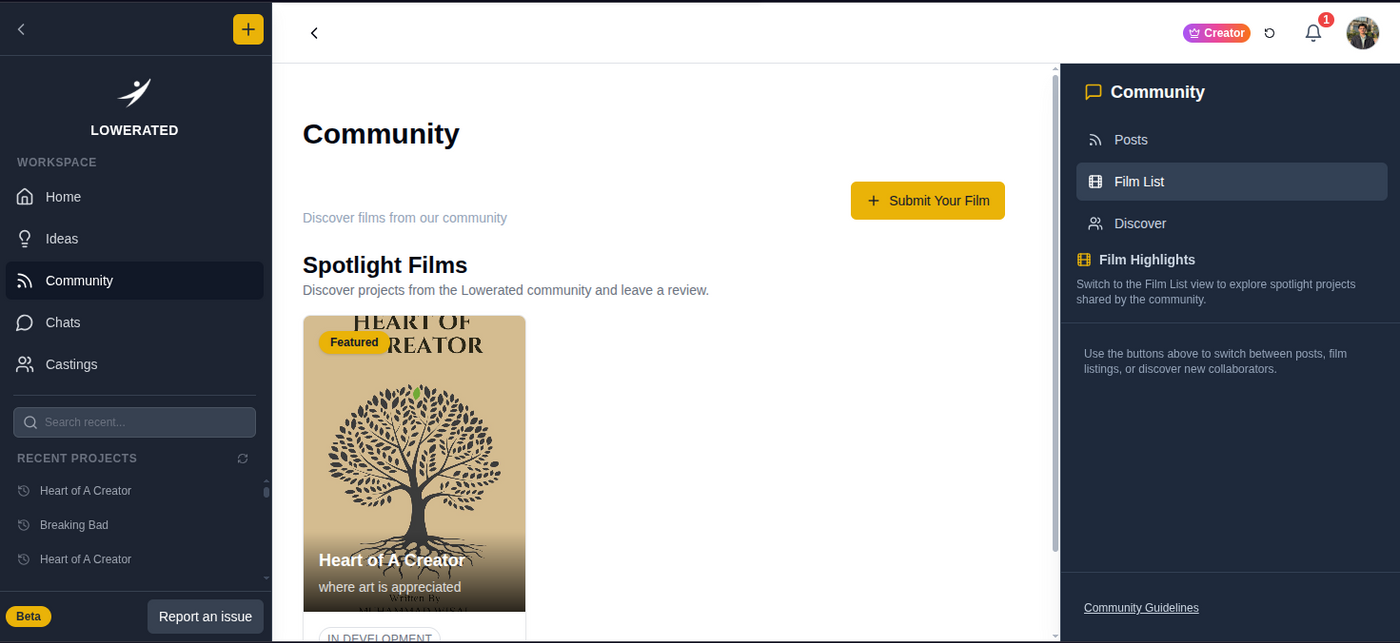
A Filmmakers Community Platform can help creators discover other people who share an interest in filmmaking and may be open to collaboration.
But finding people is only the beginning.
A filmmaker may find a cinematographer with an impressive portfolio, but the more important questions are:
- Do they understand the project's visual direction?
- Are they available during production?
- Can they work within the project's requirements?
- Do they communicate effectively?
- Do their creative approaches fit the film?
The goal is not simply to build a large network.
It is to build the right team for the project.
Filmmaker Collaboration Platform: Keep Creative Decisions Connected
Once the team is assembled, communication becomes another challenge.
A Filmmaker Collaboration Platform can help keep project discussions and creative work closer together.

A filmmaking team may need to:
- Review script revisions
- Discuss scenes
- Leave comments
- Share references
- Assign responsibilities
- Track changes
- Coordinate production information
- Keep everyone working from current information
This becomes particularly important when a project changes.
A director may request a script revision. The writer updates a scene. The producer then needs to understand whether the revision affects the schedule.
If these decisions happen in disconnected conversations, information can easily be missed.
Lowerated's current Script Writer supports collaborative functions including team invitations, real-time co-writing, comments, threaded conversations, and project collaboration.
The point is not simply to provide another place to chat.
It is to keep collaboration connected to the actual film.
What Happens When Your Filmmaking Workflow Is Scattered?
Fragmentation often feels harmless at first.
One spreadsheet here.
One messaging group there.
A separate script application.
Another casting platform.
Another production calendar.
But as the project grows, the amount of information moving between these systems grows too.
That can result in:
- Multiple versions of the same information
- Repeated manual updates
- Missed changes
- Confusion about responsibilities
- Difficult team communication
- More time spent searching for information
For a small production, even a minor organizational problem can consume valuable time because there may not be a dedicated person managing every department.
This is why the purpose of an all-in-one workflow should not be “more features.”
It should be less unnecessary friction.
What About Post-production Filmmaking?
The workflow does not end when filming finishes.
Post-production Filmmaking can involve editing, sound, color, visual effects, subtitles, promotional materials, and preparation for distribution.
And many post-production problems have roots in earlier stages.
For example:
- Missing production information can make footage harder to organize.
- Unclear creative decisions can create unnecessary revisions.
- Poor communication can delay approvals.
- Incomplete planning can create problems when assembling the final film.
This is why post-production should be considered when organizing the project from the beginning.
The more clearly the production is documented and coordinated, the easier it can be to continue the project after shooting.
An all-in-one workflow does not mean that every professional must abandon specialized post-production software.
Editors, colorists, sound designers, and VFX artists may still need specialized applications.
The goal is to keep the project information and creative decisions connected around those specialized tools.
What Should You Look for in the Best Filmmaking Platform?
There is no single Best filmmaking platform for every filmmaker.
A student making a short film has different needs from a production company working on a feature.
So instead of asking which platform has the most features, ask whether it solves your actual problems.
1. Does it support your filmmaking stage?
You may need different capabilities during development, scriptwriting, pre-production, production, or post-production.
2. Does it reduce repeated work?
If you have to recreate the same information in multiple systems, your workflow may still be fragmented.
3. Does it support collaboration?
Your team needs a clear way to work around current project information and decisions.
4. Does it keep humans in control?
AI should assist filmmakers rather than replace their creative judgment.
5. Can it grow with the project?
The tool you use for an early concept may need to support a much more complicated project later.
These questions are more useful than choosing software based solely on the number of features listed on a website.
Why an All-in-one Filmmaking Platform Can Make Sense
Using multiple specialized tools is not automatically wrong.
The problem is having to repeatedly rebuild the context of your film every time you move from one stage to another.
An All-in-one filmmaking platform provides a different model.
Instead of thinking:
Script tool + planning tool + casting tool + communication tool + separate production workflow
you can think about the film as one connected project:
Idea → Script → Pre-production → Casting → Collaboration → Production → Post-production → Distribution
Lowerated's current website describes the platform around this broader journey, including AI-assisted idea generation, scriptwriting, pre-production, community collaboration, and the path toward distribution.
That does not mean every task has to happen through one button.
It means the filmmaker has a clearer place to manage the decisions connecting those stages.
How Lowerated Fits Into the Filmmaking Workflow
Lowerated is built around a simple idea: reduce barriers between the different stages of making a film.
Its current platform includes an Idea Generator, AI-assisted Script Writer, pre-production planning, and community features as part of its wider filmmaking environment.
The workflow can begin with:
Idea → Story → Script
Then move toward:
Script → Breakdown → Casting → Planning
And eventually:
Production → Post-production → Distribution
For an independent filmmaker, this connected approach can be particularly useful because one person may be responsible for several parts of the project.
Instead of constantly asking:
“Where did I put that information?”
the workflow should make it easier to ask:
“What does my film need next?”
That is the practical value of bringing connected filmmaking tasks closer together.
A Practical All-in-One Filmmaking Workflow
If you are starting a new film, you can use this structure:
Step 1: Start with the idea
Define the story, genre, audience, and creative direction.
Step 2: Develop the screenplay
Turn the concept into a structured script and revise it until the story is ready to move forward.
Step 3: Break down the production requirements
Identify characters, locations, props, wardrobe, equipment, and other requirements.
Step 4: Build the team
Find collaborators based on the actual needs of the project rather than simply filling roles.
Step 5: Organize casting
Plan Film Casting and make film audition and casting calls clear and useful for potential performers.
Step 6: Build the production plan
Use a Filmmaking Planner tool to connect scenes with cast, locations, dates, crew, and other requirements.
Step 7: Keep collaboration organized
Make sure the team understands current decisions, revisions, responsibilities, and production information.
Step 8: Prepare for post-production
Carry useful information forward so the project does not become disconnected once shooting ends.
Step 9: Move toward distribution
Prepare the finished project and the materials needed to reach its intended audience.
Final Thoughts: Create More, Manage Less
The real promise of All-in-one filmmaking is not that technology can make filmmaking effortless.
Filmmaking is still a creative process filled with decisions, compromises, revisions, and unexpected challenges.
The opportunity is different.
Technology can help remove some of the unnecessary friction surrounding those decisions.
A filmmaker should be able to focus on questions such as:
Is this the right story?
Is this scene working?
Does this character feel authentic?
Does this production plan support the film?
rather than constantly worrying about where the latest version of a document is stored.
That is the thinking behind Lowerated's All-in-one filmmaking platform: bringing AI-assisted creative and production workflows closer together so filmmakers can move from ideas toward completed projects with greater organization and clarity.
The platform does not replace the filmmaker.
It is there to help the filmmaker manage the work around the film so more attention can stay on the film itself.


