Lowerated Feature Tour: Every Tool From Idea to Premiere


By Muhammad Wisal and Muhammad Ali / 6 min read
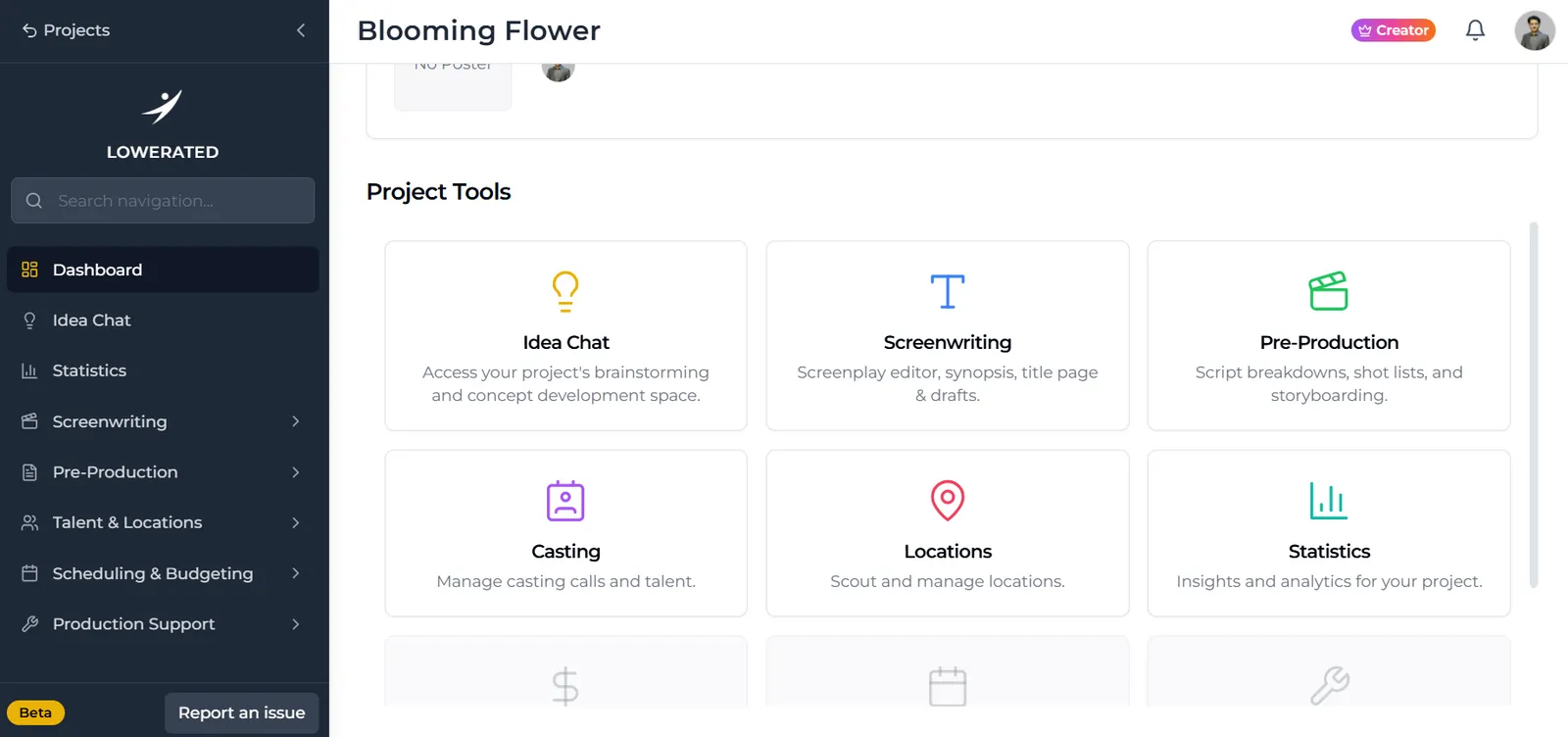
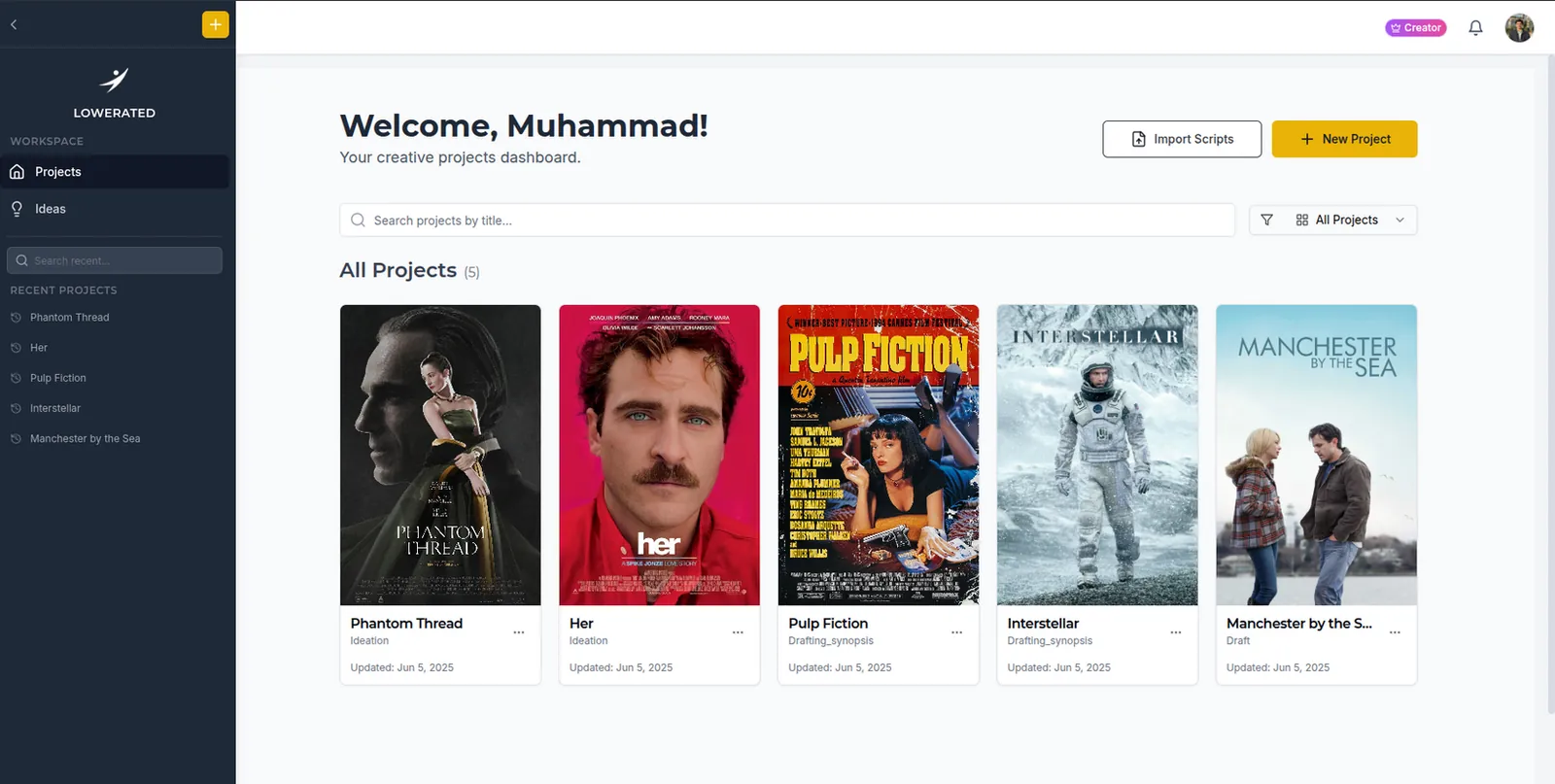
Lowerated is an all-in-one filmmaking platform for independent filmmakers. It covers the idea, the screenplay, pre-production (breakdown, scheduling, shot lists, storyboards, mood boards, budgets and call sheets), casting, crew paperwork and a public film page. This page lists every tool, what it does, which plan includes it, and what Lowerated does not do.
What is Lowerated for?
Lowerated is for writers, directors and producers who would otherwise keep a film in a dozen places: a screenwriting app, a spreadsheet schedule, a shared drive of mood board images, a chat thread for availability and a word processor for call sheets. Each stage in Lowerated is built from the stage before it. The breakdown comes from the script, the schedule comes from the breakdown, and the call sheets come from the schedule, so a change in one place does not have to be retyped in four others.
What can you do at the idea stage?
Before there is a script, you can develop the idea in Idea Chat with Oli, Lowerated's AI writing partner. Voice notes you record are transcribed into Idea Chat, so a thought you have on a walk ends up in the same project as the screenplay it becomes. If you are starting from nothing, the guide on how to come up with movie ideas has a method that works with or without software.
What does the Lowerated scriptwriter include?
The scriptwriter is a screenplay editor with industry-standard formatting and a set of writing and preparation tools around it.
| Tool | What it does |
|---|---|
| Editor | Formats scene headings, action, characters and dialogue as you type |
| Oli rewrites | Rewrites only the line you select. Nothing changes until you accept it |
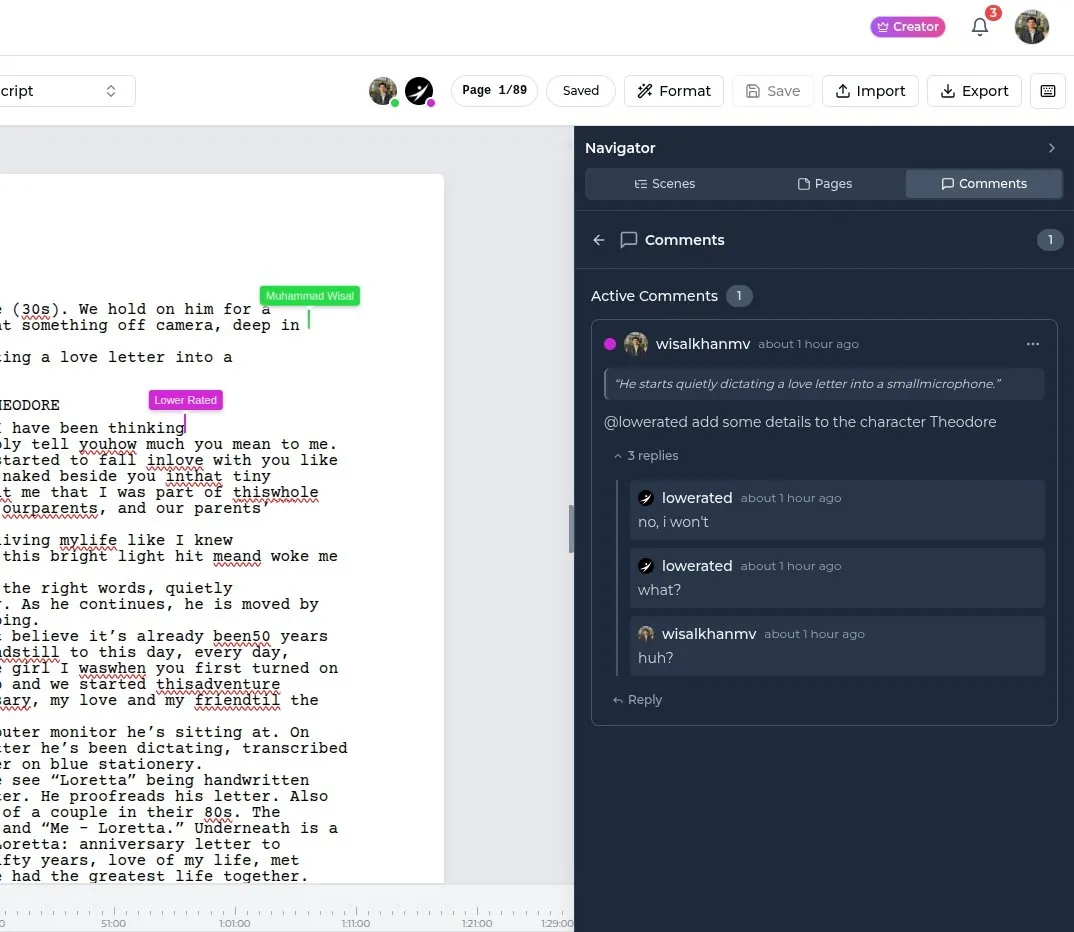
| Co-writing and comments | Write with a partner live and leave comments on the script |
| Drafts and revisions | Keep drafts and track revisions with revision colors |
| Title page | Title, credit and contact details in standard layout |
| Element tagging | 21 element types plus custom ones. Tag a word once and every mention is tagged. Oli can do a first tagging pass |
| Characters page | Built from the script, with AI-drafted profiles you can edit |
| Character relationship map | Shows how the characters in your story connect |
| Script statistics | Numbers about your script to check during rewrites |
| Import and export | Import Final Draft, Fountain, Celtx or PDF. Export a clean PDF |
For the formatting rules the editor follows, see how to format a screenplay.
Oli rewriting one selected line in a script, with the change waiting to be accepted.
What pre-production tools are included?
Pre-production in Lowerated starts from the tagged script and ends with the call sheet for each shoot day.
| Tool | What it does |
|---|---|
| Script breakdown | Built from the screenplay with cast, props, wardrobe and locations per scene. You review and adjust it |
| Stripboard | Each scene is a strip. Drag scenes between shoot days and filter, for example, to night scenes |
| Cast and crew availability | Mark people as free, out or on hold. The stripboard warns you about clashes |
| One-line schedule | Generated from the stripboard, ready to share with the team |
| Day out of days | Generated from the schedule, with each actor's work days and costs |
| Shot lists | Plan the shots for each scene |
| Storyboards | Built from your shot lists |
| Mood boards | Color palettes, reference images, wardrobe and locations in one place |
| Budgets | Line items, estimates against actuals, and templates |
| Call sheets | Built from the schedule with call times, locations and crew filled in. You review it and send it the night before |
Each of these has its own guide. Start with script tagging, then scheduling with a stripboard and making a call sheet.
The stripboard filtered to night scenes, with a scene dragged onto day one.
What does Lowerated do for casting, locations and crew?
Casting, locations and crew paperwork sit in the same project as the script and schedule.
- Casting. Post casting calls, collect self-tapes and keep shortlists, with roles tied to the characters in your screenplay.
- Actor profiles. Keep a profile for each performer.
- Locations. Keep scouted locations with photos and notes, and see which scenes use each one.
- Crew list. Keep cast and crew contacts in one list.
- Info forms. Collect details from cast and crew with info forms.
- Releases. Have talent sign release forms online.
What is the film page?
The film page is a public page for your project, used as a simple film website or press kit. You can switch between designs, and there are more than 100 templates to start from. It gives you one link to send to festivals, press and audiences once the film is finished.
A film page switching between designs.
What does Lowerated not do?
Lowerated covers writing and planning. It does not edit video, and it does not do color, sound or VFX. For those you will still need editing and finishing software such as an NLE and a sound tool. Lowerated also does not offer agency representation or writing services: Oli helps with the lines you choose, and the script stays yours.
Which plan includes which tools?
| Plan | Price | What it covers |
|---|---|---|
| Basic | Free ($0) | A free way to start a project |
| Scriptwriter | $10 a month | The writing tools |
| Producer | $30 a month | Storyboards, shot lists, casting and self-tapes, location scouting, budgeting and scheduling, mood boards |
| Both | $40 a month | Scriptwriter and Producer together |
Full details are on the pricing page.
How to go from idea to premiere in Lowerated
A typical project moves through Lowerated in this order. You can also start at any step, for example by importing a finished script.
- Develop the idea in Idea Chat with Oli, and add voice notes as they come.
- Write the screenplay in the editor, alone or with a co-writer, and export a PDF when you need one.
- Tag and break down the script. Let Oli do a first tagging pass, then review the breakdown.
- Cast the film with casting calls and self-tapes.
- Schedule on the stripboard, check availability, then share the one-liner and day out of days.
- Plan the look and the shots with mood boards, shot lists and storyboards, and keep the budget next to the plan.
- Send call sheets the night before each shoot day.
- Publish the film page when the film is ready to show.
The clip gives an overview of the platform, from writing through planning.
The clip follows a project from the first idea to its premiere.
You can sign up on the free plan and start with the step you need most.
FAQ
Is Lowerated free?
There is a free Basic plan. Paid plans are $10 a month for Scriptwriter, $30 for Producer and $40 for both.
Can I bring in a script I already wrote?
Yes. You can import Final Draft, Fountain, Celtx and PDF scripts, then tag and break them down.
Does Oli write the script for me?
No. Oli rewrites only the line you select, and nothing changes until you accept it.
Can I edit my film in Lowerated?
No. Lowerated covers writing and planning. Editing, color, sound and VFX happen in post-production software.
Who is Lowerated for?
Independent filmmakers: writers, writer-directors and small producing teams making shorts, features, series and other projects.
Key takeaways
- Lowerated covers the idea, the screenplay, pre-production, casting, crew paperwork and a film page.
- Each stage is built from the one before: script to breakdown to schedule to call sheet.
- Oli only changes the lines you select, and only when you accept.
- Lowerated does not edit video or do color, sound or VFX.
- There is a free plan; Scriptwriter is $10, Producer $30, both $40 a month.